
QR Code & Barcode Scanner App Development
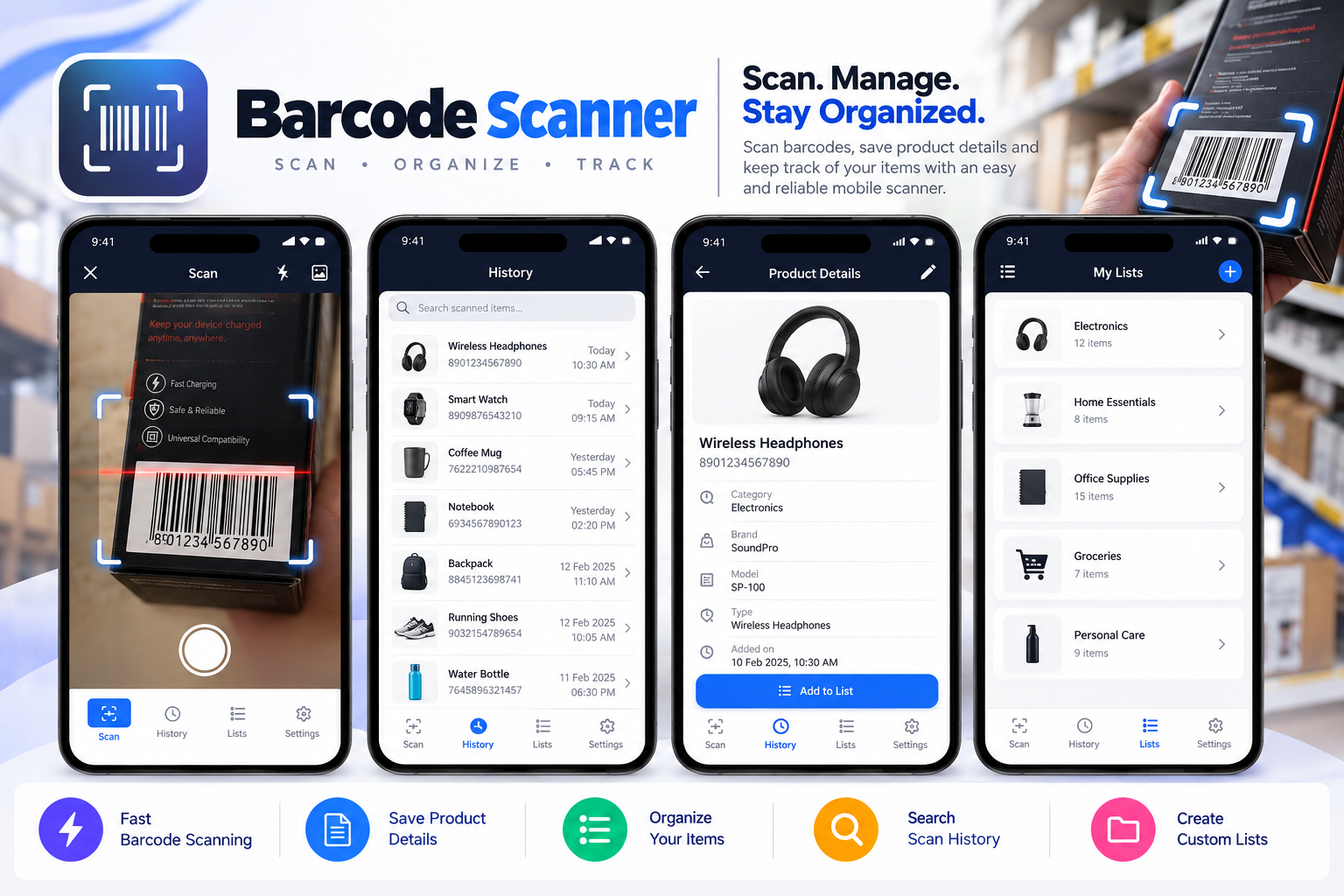
Barcode Scanner is a fast and user-friendly Android application that allows users to scan QR codes, read barcodes, generate custom QR codes, and manage scan history through one convenient mobile platform.
Barcode Scanner is a powerful QR code and barcode scanning mobile application designed to make digital information recognition fast, simple, and accessible. Developed using Kotlin and MVVM architecture, the Android application transforms smartphones into versatile scanning tools capable of reading different barcode formats and extracting embedded information directly through the device camera. The application supports a wide range of QR code and barcode data types, including plain text, phone numbers, SMS messages, email addresses, website URLs, Wi-Fi credentials, ISBN book identifiers, contact information, calendar events, geographical locations, product information, and supported identification formats. With its intuitive camera-based scanning interface, users can quickly scan product labels, access digital information, identify encoded data, and perform relevant actions based on the scanned content. The application also provides a built-in flashlight for scanning in low-light environments and a continuous scanning mode for reading multiple codes conveniently. Beyond scanning, Barcode Scanner includes a custom QR code generator that enables users to create QR codes for supported information types such as website links, contact details, Wi-Fi connections, email addresses, and calendar events. By combining Android barcode scanner app development, QR code recognition, digital information management, and mobile scanning technology, Barcode Scanner provides a practical solution for personal, educational, and everyday productivity needs.
Designed to deliver a streamlined scanning experience, Barcode Scanner combines QR code scanning, barcode generation, smart data recognition, and scan history management within a lightweight Android application. Users can scan barcodes using their smartphone camera or supported images, review decoded information, and perform actions such as opening websites, searching product details, accessing contact information, or using other supported encoded data. The platform also offers convenient barcode history and organization features, allowing users to search previously scanned or generated codes, mark important records as favorites, and add personal notes for future reference. Both readable information and raw barcode data can be accessed, providing flexibility for users who need to review detailed encoded content. Its integrated QR code generator allows users to create and export barcode images, making it easier to share information digitally. Customizable application settings support different scanning preferences, search configurations, and automatic actions. With support for light and dark themes, continuous barcode scanning, flashlight controls, and organized history navigation, the application delivers a clean and efficient mobile experience. Barcode Scanner demonstrates how custom Kotlin Android app development, MVVM application architecture, QR code scanner development, and mobile utility software can simplify everyday digital interactions.


-
Find us
Office no-14, Prosperity Arcade, D-229, Sector 74, Mohali, Punjab-160071
-
Email us
admin@appcodie.com
appcodie@gmail.com
-
Phone support
+ (91) 97798 00512