
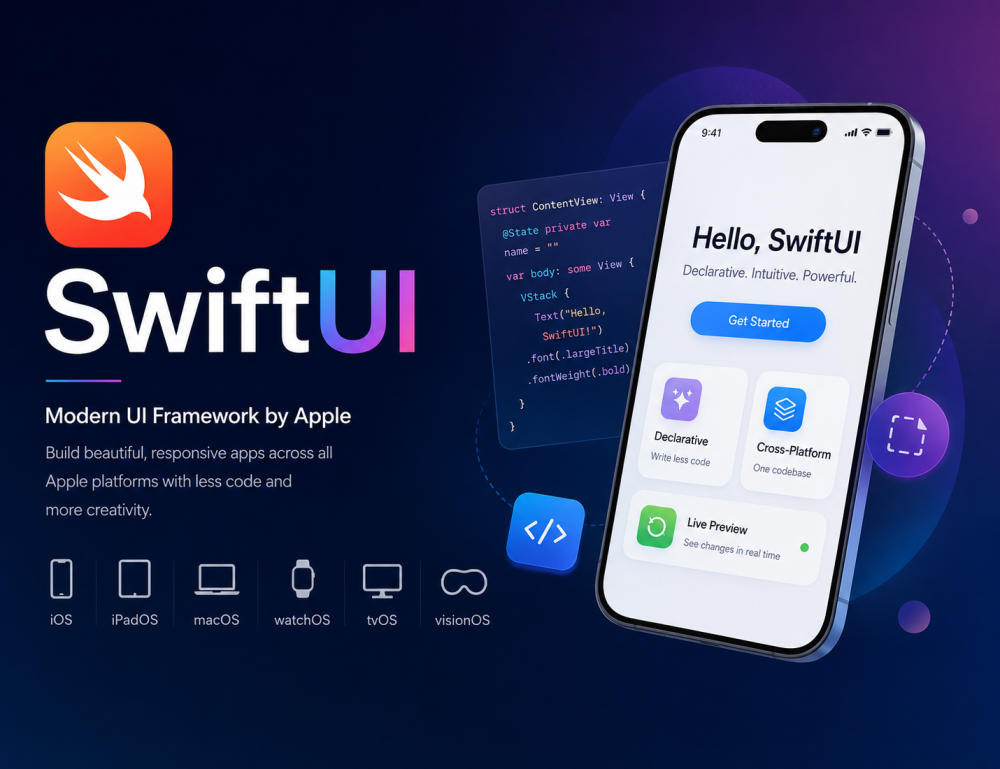
Why SwiftUI Matters in Modern App Development
SwiftUI is Apple’s modern, declarative UI framework introduced at WWDC 2019 for building powerful, responsive, and visually rich applications across the entire Apple ecosystem. It enables developers to create user interfaces using concise and readable Swift code while automatically handling layout, animations, state updates, and adaptive design.
Built with performance, scalability, and developer productivity in mind, SwiftUI significantly reduces boilerplate code compared to traditional UIKit and AppKit development. It integrates seamlessly with Xcode, Combine, Core Data, ARKit, RealityKit, MapKit, HealthKit, and other Apple frameworks, making it the preferred choice for modern iOS, macOS, watchOS, tvOS, and visionOS app development.
SwiftUI follows a declarative programming paradigm, meaning developers describe what the UI should look like instead of manually controlling how it should update. The framework automatically refreshes the interface whenever the underlying data changes.
Why Choose SwiftUI for Multiplatform Development?
One of the primary benefits of using SwiftUI for multiplatform applications is its flexibility. SwiftUI allows you to write code once and deploy it on different platforms effortlessly, ensuring that your application has a cohesive look and feel. This is particularly beneficial for teams aiming to maintain resources effectively across different device types.
Key Features of SwiftUI
Declarative Syntax
SwiftUI uses a clean and intuitive declarative syntax that simplifies UI development. Developers can build complex interfaces with minimal code while improving readability and maintainability.
Real-Time Live Preview
Xcode Canvas provides live previews, allowing developers to instantly visualize UI changes without rebuilding the app repeatedly. This accelerates rapid prototyping and UI iteration.
Cross-Platform Development
SwiftUI enables shared codebases across multiple Apple platforms:
- iOS
- iPadOS
- macOS
- watchOS
- tvOS
- visionOS
This dramatically reduces development time and improves consistency across devices.
Native Performance
SwiftUI is built directly by Apple and optimized for native performance using Swift. It leverages Metal rendering, GPU acceleration, and efficient memory management.
Automatic Dark Mode Support
SwiftUI automatically adapts to Light Mode and Dark Mode using dynamic system colors and semantic styling.
State-Driven UI
SwiftUI updates the user interface automatically whenever application state changes using property wrappers like:
- @State
- @Binding
- @ObservedObject
- @StateObject
- @EnvironmentObject
Built-In Animations
SwiftUI provides smooth and powerful animation APIs with minimal effort:
- Implicit animations
- Explicit animations
- Matched Geometry Effects
- Spring animations
- Gesture-based transitions
Accessibility Support
SwiftUI includes built-in accessibility features for:
- VoiceOver
- Dynamic Type
- Accessibility labels
- Color contrast adaptation
- Reduced motion support
Adaptive Layout System
SwiftUI automatically adapts layouts for different screen sizes, orientations, and devices using:
- VStack
- HStack
- ZStack
- GeometryReader
- LazyVGrid
- LazyHGrid
Benefits of Using SwiftUI
Faster App Development
SwiftUI minimizes repetitive code and accelerates UI creation using reusable components and previews.
Better Code Maintainability
The declarative architecture keeps UI logic organized, scalable, and easier to debug.
Reusable Components
Developers can create reusable custom views and modifiers for modular app architecture.
Seamless UIKit Integration
SwiftUI works alongside UIKit and AppKit, making migration from legacy apps smooth and incremental.
Improved Productivity
Features like hot reload previews, automatic layout handling, and state management increase developer efficiency.
Future-Proof Technology
SwiftUI is continuously evolving and is now the primary UI framework promoted by Apple for future application development.
Supported Platforms
SwiftUI supports the following Apple operating systems:
|
Platform |
Minimum Version |
|
iOS |
13.0+ |
|
iPadOS |
13.0+ |
|
macOS |
10.15+ |
|
watchOS |
6.0+ |
|
tvOS |
13.0+ |
|
visionOS |
1.0+ |
|
Mac Catalyst |
13.0+ |
Core Concepts of SwiftUI
1. Views
Everything in SwiftUI is a View. Views define the structure and appearance of the UI.
Examples:
- Text
- Image
- Button
- List
- NavigationStack
- ScrollView
Views can be combined to build complex interfaces.
2. State Management
SwiftUI uses reactive state-driven rendering. When data changes, the UI updates automatically.
Important property wrappers include:
- @State
- @Binding
- @ObservedObject
- @Published
- @StateObject
- @EnvironmentObject
This simplifies data flow and synchronization between UI and business logic.
3. Modifiers
Modifiers customize views declaratively.
Examples:
- .padding()
- .background()
- .cornerRadius()
- .shadow()
- .font()
- .foregroundColor()
Modifiers can be chained together for flexible UI customization.
4. Layout System
SwiftUI provides flexible layout containers:
- VStack
- HStack
- ZStack
- Spacer
- GeometryReader
- Grid
These automatically adapt to multiple screen sizes and orientations.
5. Navigation
SwiftUI offers modern navigation APIs:
- NavigationStack
- NavigationLink
- TabView
- Sheet
- FullScreenCover
These simplify app flow management.
6. Animations & Gestures
SwiftUI makes advanced animations easy:
- Drag gestures
- Tap gestures
- Rotation effects
- Matched geometry animations
- Interactive transitions
SwiftUI Architecture Pattern
SwiftUI commonly follows:
- MVVM (Model-View-ViewModel)
- Reactive Programming
- Combine Framework integration
This architecture improves:
- Scalability
- Testability
- Code organization
- Data synchronization
SwiftUI vs UIKit
|
Feature |
SwiftUI |
UIKit |
|
Syntax |
Declarative |
Imperative |
|
Code Length |
Shorter |
More Boilerplate |
|
Live Preview |
Yes |
No |
|
Cross-Platform |
Yes |
Limited |
|
Learning Curve |
Easier |
Moderate |
|
Animation Handling |
Simplified |
Complex |
|
State Management |
Built-In |
Manual |
Common SwiftUI Components
UI Components
- Text
- Button
- Image
- Label
- Toggle
- Slider
- Stepper
- ProgressView
Containers
- List
- ScrollView
- LazyVStack
- LazyHGrid
- NavigationStack
Advanced Components
- Charts
- Canvas
- TimelineView
- Map
- VideoPlayer
Integration with Apple Frameworks
SwiftUI integrates with:
- UIKit
- AppKit
- ARKit
- RealityKit
- CoreData
- CloudKit
- HealthKit
- MapKit
- CoreML
- Vision Framework
- AVFoundation
This allows developers to create advanced applications including:
- AR apps
- AI-powered apps
- Healthcare apps
- Mapping applications
- IoT apps
- 3D visualization tools
Example: Simple SwiftUI Application
import SwiftUI

struct ContentView: View {
    @State private var name: String = ""

    var body: some View {
        VStack(spacing: 20) {
            Text("Welcome to SwiftUI")
                .font(.largeTitle)
                .fontWeight(.bold)

            TextField("Enter your name", text: $name)
                .textFieldStyle(.roundedBorder)
                .padding()

            Text("Hello, \(name)")
                .font(.title2)
                .foregroundColor(.blue)
        }
        .padding()
    }
}
This example demonstrates:
- State management using @State
- User input handling with TextField
- Dynamic UI updates
- Declarative layout building
Why SwiftUI is Important for Modern iOS Development
SwiftUI is becoming the standard framework for Apple ecosystem development because it:
- Reduces development time
- Improves UI consistency
- Enhances app scalability
- Simplifies maintenance
- Supports modern Apple devices
- Enables rapid prototyping
- Provides future compatibility with Apple technologies
Many modern applications now combine:
- SwiftUI + UIKit
- SwiftUI + ARKit
- SwiftUI + RealityKit
- SwiftUI + CoreML
to create highly interactive and immersive user experiences.
Popular Use Cases of SwiftUI
SwiftUI is widely used for:
- iPhone Applications
- iPad Apps
- Apple Watch Apps
- Apple TV Interfaces
- Vision Pro Apps
- AR Applications
- Dashboard Apps
- Healthcare Apps
- Business Productivity Apps
- IoT & BLE Applications
- 3D Visualization Apps
Conclusion
SwiftUI is revolutionizing the way developers create applications for multiple Apple platforms. Its simplicity, powerful features, and coherent design language support efficient, modern application development. By harnessing SwiftUI, you can deliver stunning, operationally robust applications tailored for today’s multiscreen environment.