
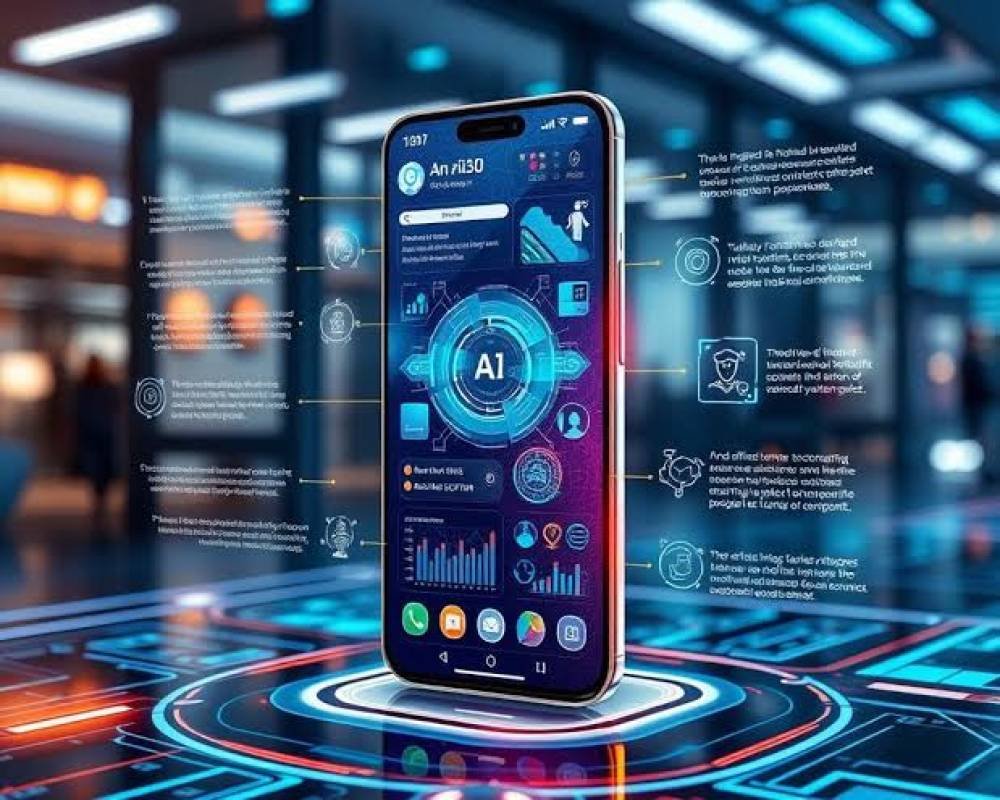
On-Device AI in Mobile Apps: Benefits, Use Cases & Development Guide 2026
Artificial intelligence has become one of the most important technologies shaping modern mobile applications. But the way mobile apps use AI is changing.
Traditionally, an AI-powered mobile app sends information to a cloud server, where an AI model processes the request and returns a response. In 2026, more AI workloads can be performed directly on smartphones and tablets.
This approach is known as on-device AI.
Modern smartphones contain increasingly capable CPUs, GPUs and dedicated neural-processing hardware. At the same time, AI models are becoming more efficient and optimized for mobile devices.
Apple now provides developers with access to on-device intelligence through technologies including the Foundation Models framework and Core AI. Apple says its Foundation Models framework can perform tasks such as summarization, entity extraction, text understanding and content refinement directly with its models.
On Android, Google provides Gemini Nano and ML Kit GenAI APIs through AICore, allowing supported devices to execute generative AI tasks locally without requiring every prompt to be sent to a cloud server.
For businesses planning a new mobile application, understanding on-device AI can therefore be an important part of their mobile app development strategy in 2026.
What Is On-Device AI?
On-device AI means that an artificial intelligence or machine-learning model performs inference directly on the user's smartphone, tablet or another edge device.
For example, imagine a mobile application that summarizes a user's notes.
With traditional cloud AI, the application may send those notes to an external server, wait for the AI model to process them and then receive the generated summary.
With on-device AI, the supported AI model can process that information locally.
The basic process becomes:
User Input → Mobile AI Model → Result
instead of:
User Input → Internet → Cloud Server → AI Model → Internet → Mobile App
Cloud AI is still extremely useful, especially when applications need large models, significant computing power, external knowledge or complex reasoning. Google itself recommends considering hybrid architectures where local models handle suitable workloads while cloud models process larger or more demanding requests.
Therefore, the future of mobile AI is unlikely to be purely cloud or purely local. Many applications will use a hybrid AI architecture.
Why Is On-Device AI Becoming Important in 2026?
Mobile hardware and AI frameworks have improved significantly.
Smartphones can now execute workloads that previously required remote servers. Meanwhile, companies such as Apple and Google are making AI capabilities available through developer frameworks designed specifically for mobile applications.
Apple's Foundation Models framework gives developers access to models designed for Apple Intelligence, while Google's Gemini Nano operates through Android's AICore infrastructure on compatible devices.
This creates opportunities for mobile developers to build intelligent functionality directly into applications without relying on a server request for every AI interaction.
Major Benefits of On-Device AI
1. Better Privacy
Privacy is one of the strongest advantages of local AI processing.
When information can be processed directly on the device, developers may avoid sending some sensitive user information to external servers.
This can be particularly valuable for applications involving personal documents, private messages, productivity information, fitness information and other user-specific content.
Google specifically highlights local processing and privacy as advantages of Gemini Nano, while Apple emphasizes local execution for its on-device AI technologies.
2. Faster Response Times
Cloud AI requires network communication.
Even when the AI server responds quickly, the application still has to send a request over the internet and receive the result.
Local processing can remove part of that delay.
For features such as text suggestions, image analysis, voice recognition or contextual recommendations, lower latency can make an application feel significantly more responsive.
3. Offline AI Features
Another major advantage is the ability to provide certain intelligent features even when the user has poor or no internet connectivity.
Apple notes that its on-device Foundation Model can support experiences that operate locally, and Google's Gemini Nano is designed to support generative AI functionality without requiring a network connection for every task.
This can be especially useful for:
- Travel applications
- Fitness applications
- Productivity tools
- Translation features
- Note-taking applications
- Field-service applications
- Educational applications
- Personal assistants
- Image-processing applications
4. Reduced Cloud AI Costs
Cloud-based generative AI usually involves infrastructure or API costs.
If an application has hundreds of thousands of users making frequent AI requests, those costs can become significant.
Moving appropriate workloads to the user's device can reduce the number of server-side inference requests.
This does not necessarily eliminate cloud infrastructure, but it can help businesses build a more cost-efficient AI architecture.
5. More Personalized Experiences
An AI model running locally can potentially work with information already available within the application without continuously transferring that information to a remote AI provider.
For example, a productivity application could generate contextual suggestions from locally available information.
A fitness application could use permitted device data to create more relevant summaries.
A writing application could analyze text and offer contextual improvements.
This makes it possible to create applications that feel increasingly personalized while maintaining tighter control over how data is processed.
Popular On-Device AI Use Cases in Mobile Apps
AI Writing and Text Assistance
One of the most practical uses of on-device generative AI is text processing.
Mobile applications can provide features such as:
Text summarization, rewriting, grammar suggestions, information extraction, smart replies, text classification and contextual suggestions.
For example, a note-taking application could allow users to convert a long meeting note into several important action points without requiring every piece of text to leave the device.
Apple specifically lists summarization, entity extraction, understanding and text refinement among applications for its Foundation Models framework.
AI Fitness and Wellness Applications
Fitness apps generate large amounts of data from workouts, wearable devices and smartphone sensors.
On-device intelligence can help convert this information into more understandable experiences.
An AI-powered fitness application might identify workout patterns, generate daily activity summaries, organize exercise information or provide personalized interface recommendations.
More advanced features can combine local intelligence with cloud AI when additional reasoning or server-side information is necessary.
Image Recognition and Computer Vision
Computer vision has been one of the strongest areas of on-device machine learning for years.
Modern apps can use AI for object identification, document scanning, image classification, barcode recognition, photo organization and visual search.
Apple's current AI frameworks also combine on-device Vision capabilities such as OCR and barcode recognition with model-powered experiences.
For businesses developing retail, healthcare, logistics, education or productivity applications, these capabilities can unlock powerful user experiences.
Voice Recognition and Transcription
AI can also process speech directly on supported devices.
Possible applications include meeting transcription, voice notes, accessibility tools, voice commands and language-learning apps.
Because some processing happens locally, the application can offer faster interactions while reducing its dependence on continuous network connectivity.
Smart Mobile Assistants
Instead of building a chatbot that simply sends every message to a cloud API, developers can create more contextual application assistants.
An assistant could understand what the user wants, extract structured information and trigger functions inside the application.
For complex questions, the app could intelligently switch to a larger cloud model.
This creates a hybrid AI assistant that combines the speed of local AI with the capability of larger cloud systems.
Translation
Short translations are another useful application for local AI.
Google includes short translation among the use cases supported through its mobile GenAI APIs.
Travel, communication, education and international business applications can use such capabilities to provide faster multilingual experiences.
On-Device AI vs Cloud AI
Businesses should not think of on-device AI as a replacement for cloud AI.
Both approaches have advantages.
On-device AI is particularly useful when privacy, offline functionality, responsiveness or reducing repeated server requests matters.
Cloud AI is useful when an application needs very large models, extensive context, external information, powerful reasoning or computing resources beyond the capability of a smartphone.
A modern application can use both.
For example:
Simple summary → On-device model
Advanced research → Cloud model
Image classification → On-device model
Large multimodal analysis → Cloud model
This hybrid approach can provide a better balance between performance, privacy, cost and AI capability.
How to Build an On-Device AI Mobile App in 2026
Step 1: Define the AI Use Case
Do not add AI simply because it is popular.
Start by identifying what problem AI should solve.
Ask whether the feature needs instant responses, contains private information, needs offline access and whether the task can realistically be handled by a mobile-sized model.
For some tasks, traditional application logic may still be better than AI.
Step 2: Choose On-Device or Cloud Processing
Evaluate every AI feature individually.
Simple classification, summarization, text extraction and recommendation tasks may work well locally.
Tasks requiring significant reasoning, enormous context windows or live internet information may be better suited to cloud models.
In many cases, developers should design a hybrid architecture from the beginning.
Step 3: Select the Mobile AI Technology
For iOS development, developers can evaluate technologies such as:
Foundation Models, Core AI, Core ML, Vision and Natural Language frameworks.
For Android development, options include:
Gemini Nano, ML Kit GenAI APIs, LiteRT, MediaPipe and custom optimized models.
Google also supports custom on-device models through LiteRT when developers need specialized machine-learning functionality.
Step 4: Optimize the Model
Mobile devices have limited memory, storage and processing power compared with large cloud infrastructure.
Developers therefore need to consider model size and optimization carefully.
Techniques such as model quantization, compression and hardware acceleration can make AI models faster and more practical for mobile devices.
Step 5: Design Graceful Fallbacks
Not every smartphone will support the same AI capabilities.
Your application should detect whether a required model or hardware capability is available.
If it isn't, developers can provide traditional functionality or route the request to an appropriate cloud service.
Users should never see a broken feature simply because their device does not support a specific local AI model.
Step 6: Test Real-World Performance
AI features should be tested across different devices.
Developers should measure:
Response time, memory consumption, battery usage, model accuracy, temperature impact and application stability.
AI functionality that works perfectly on a flagship phone may behave differently on lower-powered hardware.
Step 7: Protect User Privacy
On-device processing improves privacy potential, but it does not automatically make an application private.
Developers still need appropriate permissions, secure local storage, encryption where applicable and transparent data practices.
Collect only the information required for the feature.
Challenges of On-Device AI Development
On-device AI also introduces several engineering challenges.
Hardware Differences
Mobile devices vary dramatically in processing power, available memory and AI acceleration capabilities.
Developers may therefore need different behavior depending on the device.
Model Size
Large AI models can consume significant memory and storage.
Model optimization becomes an important part of the mobile development process.
Battery Consumption
Continuous AI inference can consume energy.
AI features must therefore be carefully designed so that they do not unnecessarily affect battery life.
Model Updates
Cloud AI models can often be updated centrally.
Models distributed or managed locally require a different update strategy.
Operating-system-level models can help reduce some of this burden because platform providers can manage model availability and updates.
AI Accuracy
Running AI locally does not eliminate hallucinations or inaccurate outputs.
Developers should still implement validation, testing and appropriate product safeguards.
The Future of On-Device AI
On-device intelligence is moving from basic machine learning toward increasingly sophisticated generative and agentic capabilities.
Apple's current Foundation Models APIs include structured generation, tool calling and model-driven application functionality, while Android continues expanding Gemini Nano and its GenAI developer APIs.
This means future apps may not simply display information.
They may increasingly understand user intent and perform actions.
A user might say:
“Summarize my workout progress this month and prepare tomorrow's training plan.”
Instead of navigating through several screens, an intelligent application could potentially analyze relevant local information, generate the summary and trigger supported application functions.
That transition from AI-powered features to AI-powered experiences may become one of the most important mobile development trends over the next several years.
Should Businesses Invest in On-Device AI?
For many businesses, the answer depends on the application.
On-device AI is especially attractive when a product handles personal information, needs fast interactions, serves users with unreliable internet connections or expects a high volume of repeated AI requests.
However, businesses should avoid forcing every AI feature onto the device.
The best solution may be a combination of on-device AI, traditional application logic and cloud AI.
The goal should always be to create a faster, more useful and more reliable user experience.
Build an AI-Powered Mobile App with Appcodie
On-device AI is opening new possibilities for mobile applications.
From intelligent fitness apps and productivity platforms to AI assistants, computer vision solutions and personalized mobile experiences, businesses can now integrate sophisticated intelligence much closer to the user.
At Appcodie, we build custom iOS, Android and cross-platform applications and can integrate modern AI functionality according to the requirements of your product.
Whether you are planning a new AI-powered mobile application or want to add intelligent features to an existing app, the right combination of on-device and cloud AI can help create a faster, more scalable and engaging product.
Planning an AI mobile app in 2026? Contact Appcodie to discuss your idea and turn it into a production-ready mobile experience.